Drag to pan. Pinch or use + / − to zoom. Fit restores the diagram overview.
Views changes diagrams. Find searches every equipment item and cable. Selection shows a compact bar on phones; Details opens the full technical inspector.
Details opens and closes without changing your diagram position. Related connection buttons locate the cable and return to the diagram.
Keyboard: arrows pan; + / − zoom; 0 fits; Enter selects a focused SVG item. Escape closes the active sheet.
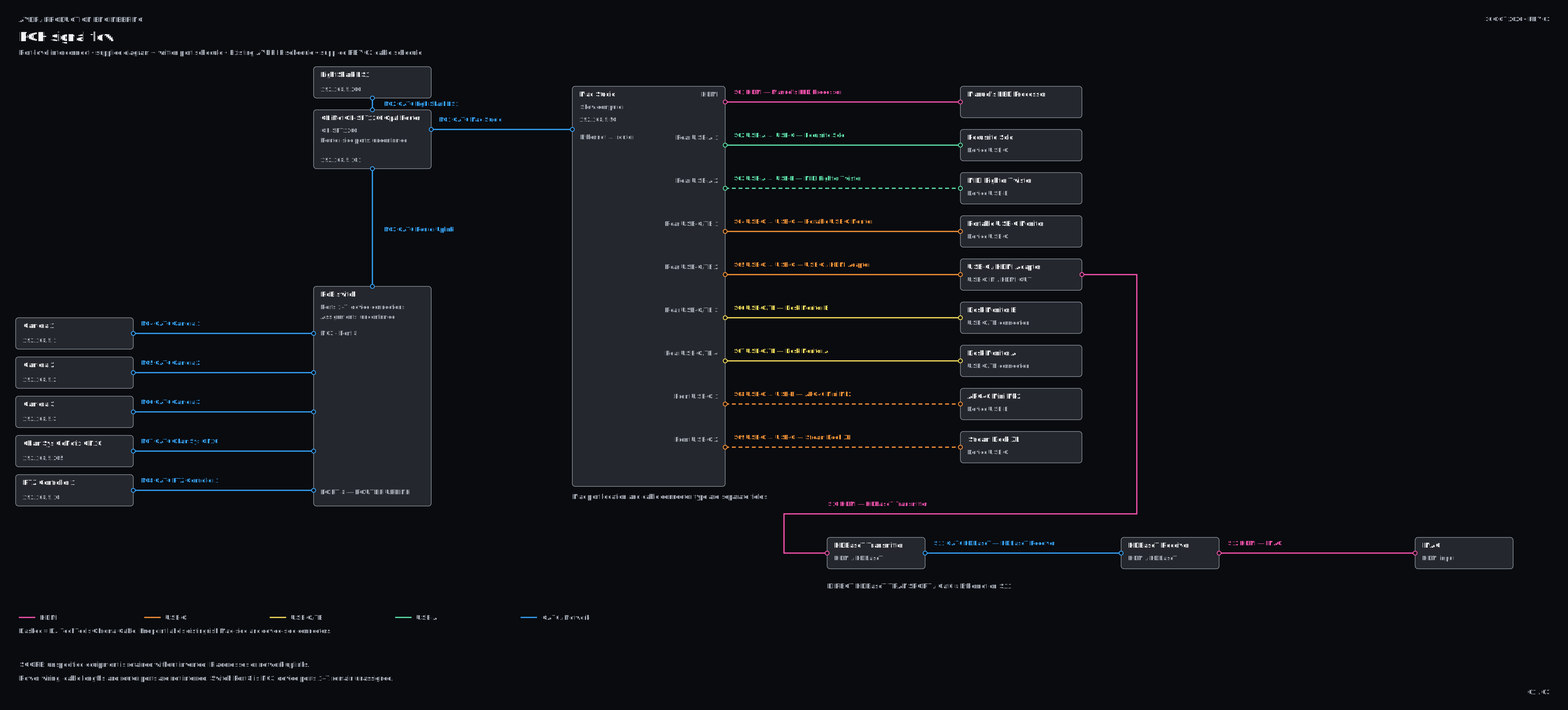
Purple outlines identify physical production zones only. Equipment stays grayscale. HDMI is pink; USB-C orange; USB-C/TB yellow; USB-A green; CAT6 blue. Dashed cables are DJ TechTools Chroma.
Camera positions are unspecified; the physical camera register does not imply co-location. Desk Monitors A/B retain the supplied USB-C/TB connection designation without inferring cable capability.